
Iridium setup
Questi contenuti non sono ancora disponibili nella tua lingua.
reflexa micro sends its results through the Iridium satellite network with a Ground Control RockBLOCK 9704 modem (Iridium IMT messaging). It works anywhere on Earth with a view of the sky, without a mobile network.
Account checklist for a new unit
Section titled “Account checklist for a new unit”-
The modem’s IMEI registered in the Cloudloop account that will receive the data (subscriber activated, data pack available).
-
Topic 244 (RAW) provisioned for the subscriber.
-
A destination configured (webhook to the ingest service, MQTT, or CSV export routine).
-
Run Check modem (no traffic) once on site (Maintenance): signal bars and modem identity, no cost.
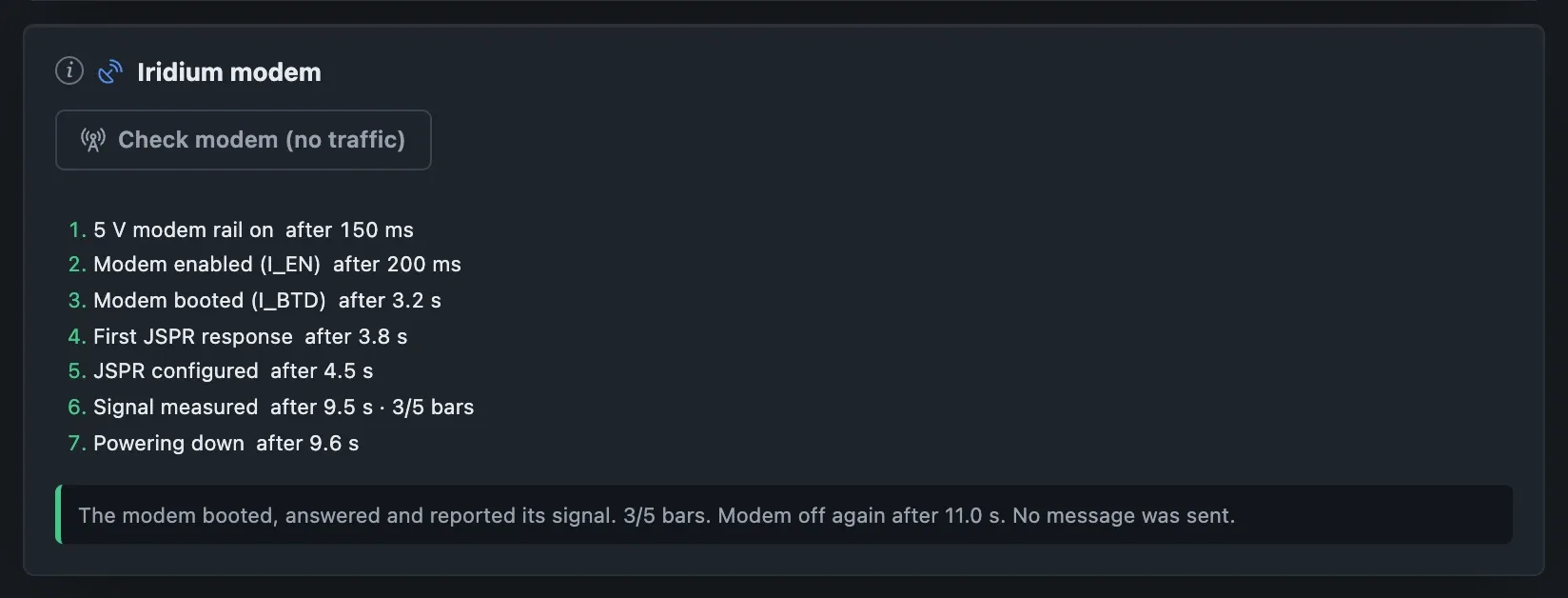
Simulator Check modem (no traffic): the modem is powered, answers and reports its signal, then is switched off. No message, no cost.
How a message travels
Section titled “How a message travels”- The unit builds a compact message from the results not yet sent and transmits it on Iridium topic 244 (RAW).
- Iridium delivers it to the Ground Control / Cloudloop account that owns the modem (the “Thing”, identified by the modem’s IMEI).
- Cloudloop shows it in Cloudloop Data → All Messages and forwards it to the configured destinations: an HTTP webhook (BREVA’s ingest service), an MQTT broker, e-mail, or a CSV export from the console.
- The receiving side decodes the payload (the field console has a decoder; the server uses the same code).
Cloudloop’s payload is exactly the message the unit built (the modem’s 2-byte checksum is not included), so it can be decoded as it is.
When it sends
Section titled “When it sends”Chosen in Settings → Iridium (or Schedule in Normal mode):
| Policy | Behaviour |
|---|---|
| Never | Nothing is sent; everything stays on the unit for USB download. |
| End of session (usual) | After every session, whatever it produced; a session without results still sends a short “alive” message. |
| Every N results | When N new results are waiting. |
| Every N hours | At most every N hours, with whatever is waiting. |
| Daily at a time | Once a day at a fixed UTC time. |
Rules common to all policies: the unit transmits only between sessions (the modem and the GNSS receiver never run together); a daily maximum; retry after a failed send (default one retry after 30 minutes); the battery guard can hold transmissions. Sent results stay on the unit until they are downloaded over USB or overwritten by the running buffer.
What a message contains
Section titled “What a message contains”Format: compact, bit-packed, versioned (format byte C1…C4; older
formats stay readable). Lossless for the scientific values at their stored
resolution (reflector height to 1 mm).
| Block | Content | Size |
|---|---|---|
| Header | format, blocks present, first record sequence, record count, time, configuration version | ~8 B |
| Window summary (default) | median/weighted water distance (mm), spread, arcs used/seen, weak and edge arcs, peak-to-noise, time span, RH search range in use if the unit moved it | ~6 B |
| Unit health (default) | battery (10 mV steps), reset reason, boot and watchdog counters, faults, queue fill, failed sends | ~6 B |
| Station position (after a move or restart; optional always) | latitude/longitude (~0.1 m), height, accuracy, distance moved | ~11–13 B |
| Per-arc results (optional) | per arc: satellite, signal, RH (mm), sigma, peak-to-noise, samples, quality | ~7–9 B per arc |
Typical sizes: default message ≈ 21–23 bytes (below the 25-byte minimum billed), ≈ 34 bytes with the position, ≈ 100 bytes with ten per-arc results.
Example: a decoded message
Section titled “Example: a decoded message”A 40-byte message, format C3, with two records, as the decoder shows it:
| Field | Value |
|---|---|
| Window | 15:41–16:13 UTC (32 min), configuration version 44 |
| Arcs | 11 seen, 11 used (3 weak, 0 at the edge of the search band) |
| Water distance | 2.276 m, spread 27 mm, median peak-to-noise 3.6 |
| Health | battery 3.36 V, no faults, queue empty |
| Position | latitude, longitude (~0.1 m), 333.7 m ellipsoidal height, ±1.1 m |
Costs (Cloudloop prepaid, October 2026)
Section titled “Costs (Cloudloop prepaid, October 2026)”| Item | Price |
|---|---|
| Data packs | 64 KB €27 (≈ €0.42/KB), 512 KB €191, 2 MB €689, 4 MB €1,229, 8 MB €2,160 (≈ €0.26/KB); packs expire after 24 months |
| Minimum billed per message | 25 bytes |
| Monthly access fee | €15 per subscriber |
| Activation | €20 (plus a proration fee), 3-month minimum commitment |
At €0.42/KB a default message costs about €0.01. Four messages a day are about €1.25 per month of airtime plus the €15 access fee. The field console computes the size and cost of the chosen configuration live.
Reading messages in the Cloudloop console
Section titled “Reading messages in the Cloudloop console”Cloudloop Data → All Messages lists every message with time, Thing, direction, size and the payload in hexadecimal. Paste a payload into the field console (Advanced → Maintenance → Diagnostics → Decode a received message) to read it. The decoder also reads TAHMO/Tiger station packets (21 bytes: battery, temperature, charger state, boot count and one reflector height per 4-hour window, 0–20 m in 16 bits).
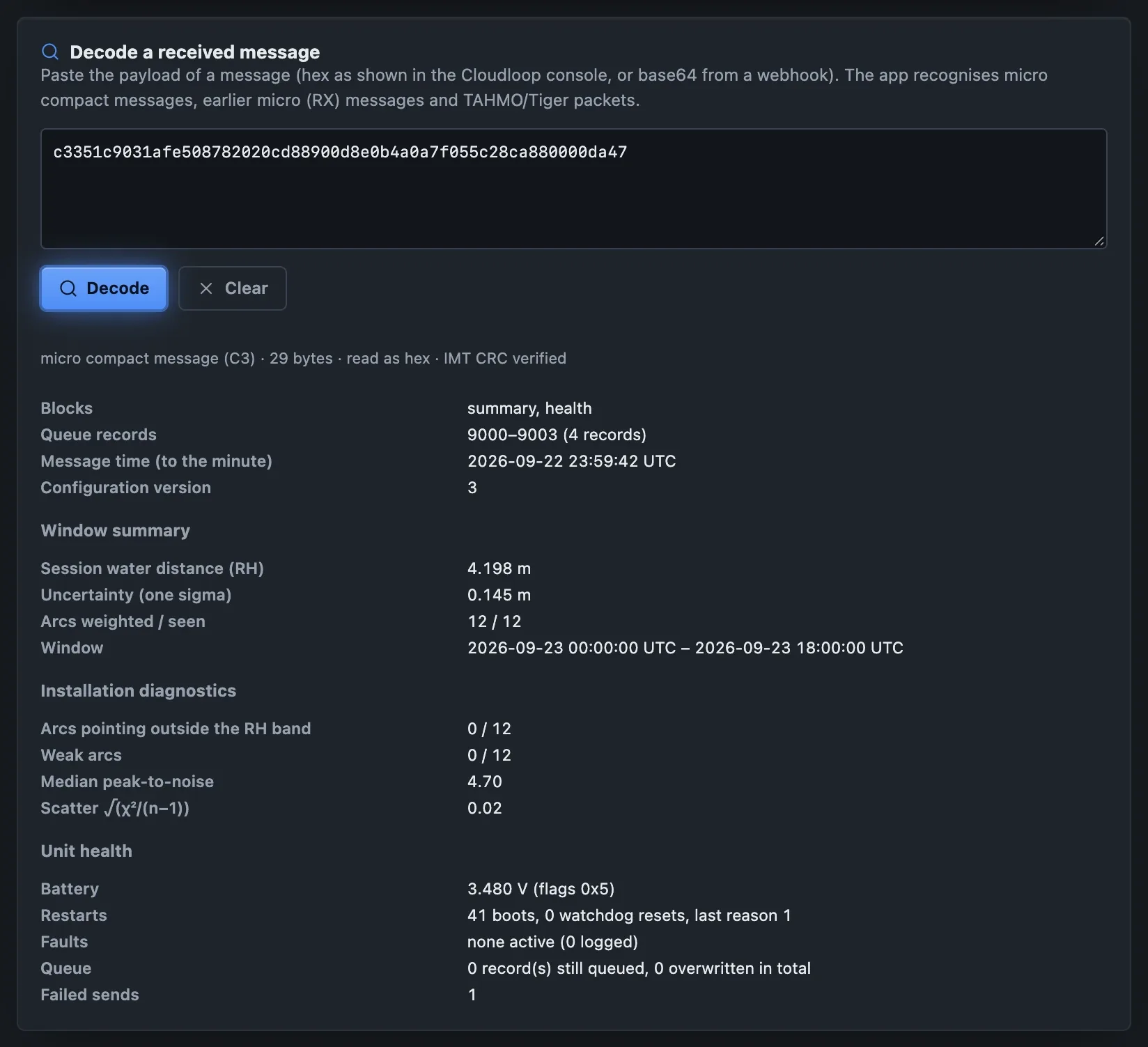
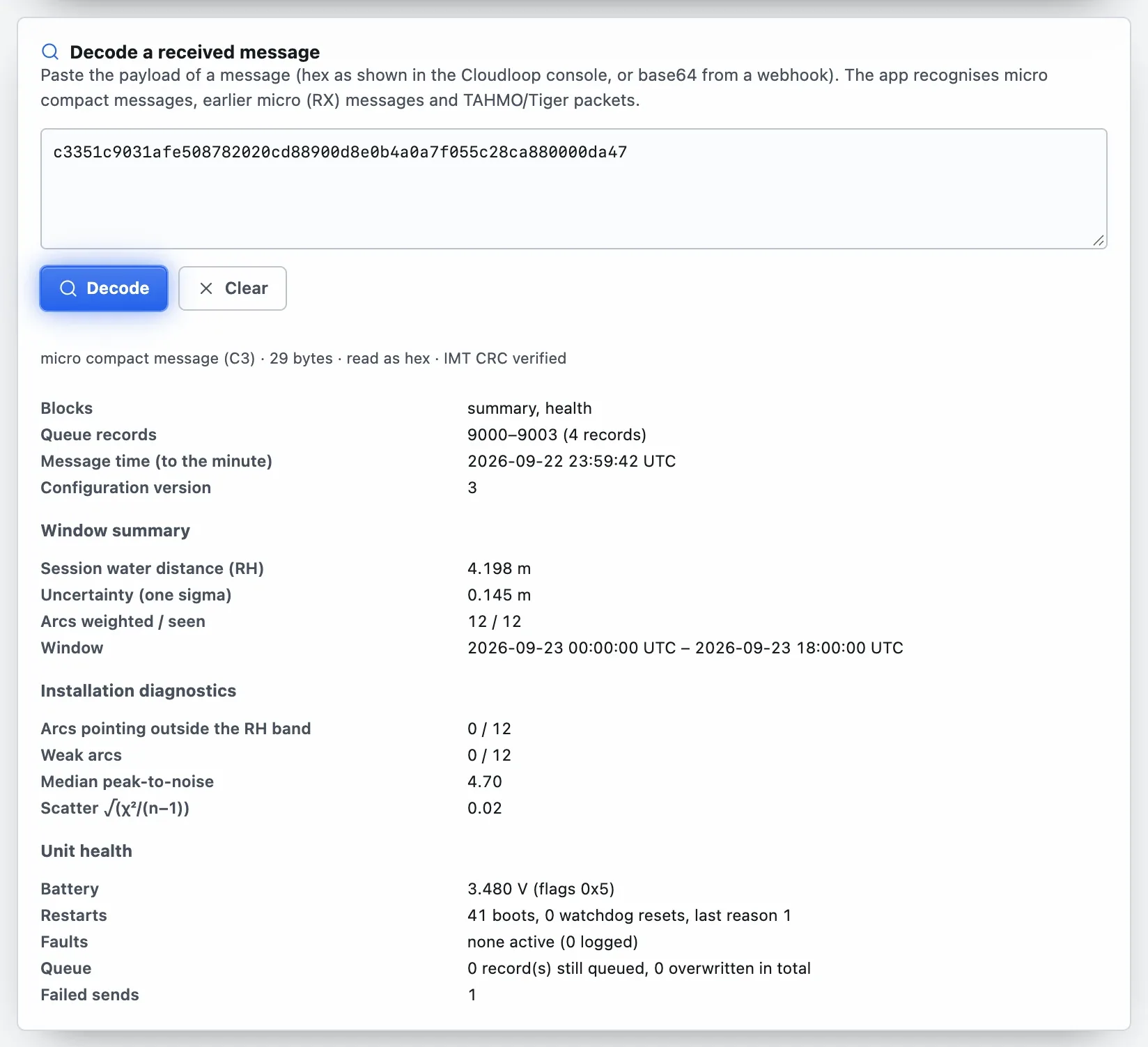
A payload pasted from Cloudloop and decoded: window summary, water distance, unit health.