
Live

Live during a test session: sky with sectors, C/N0 bars, active and closed arcs.
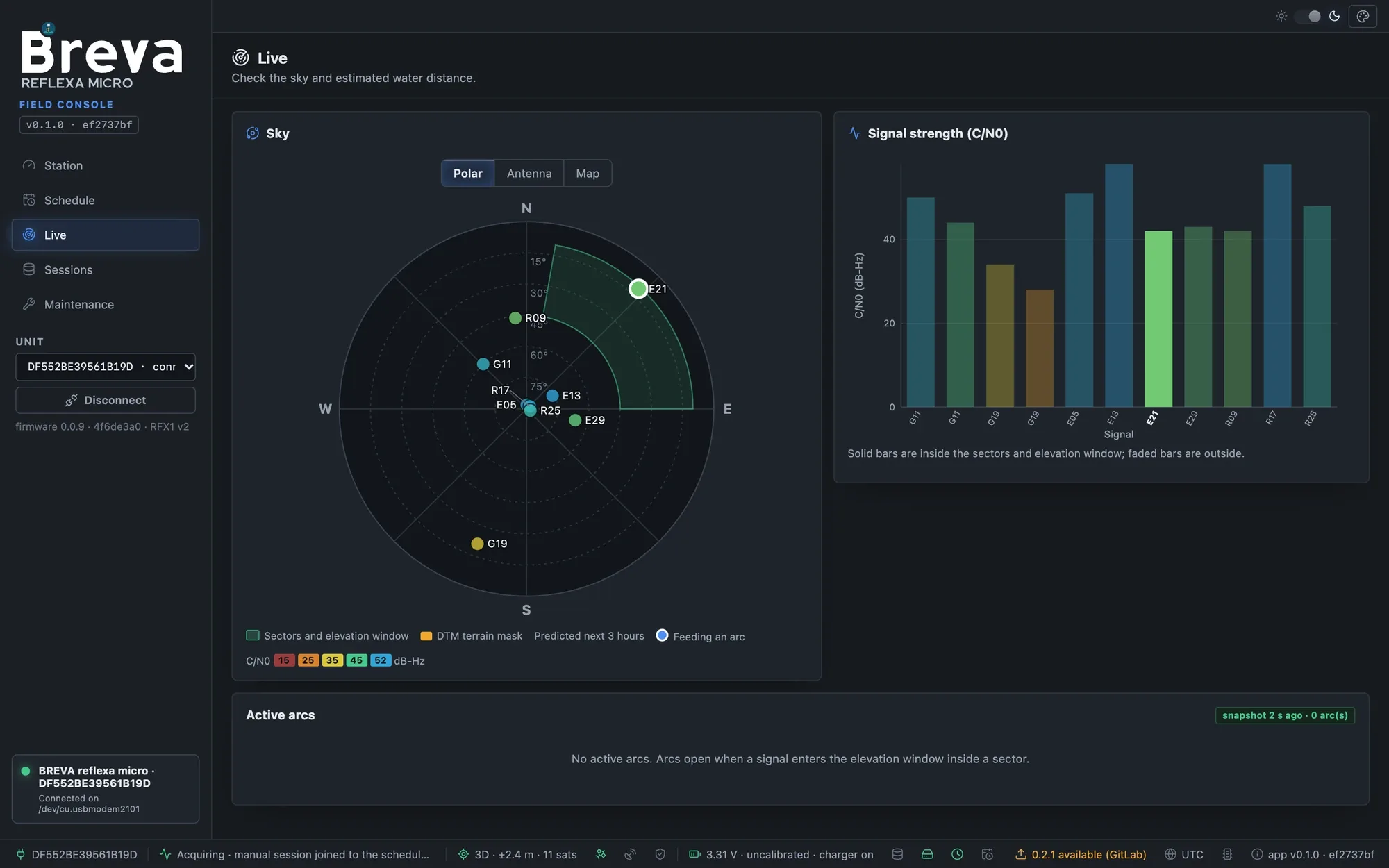
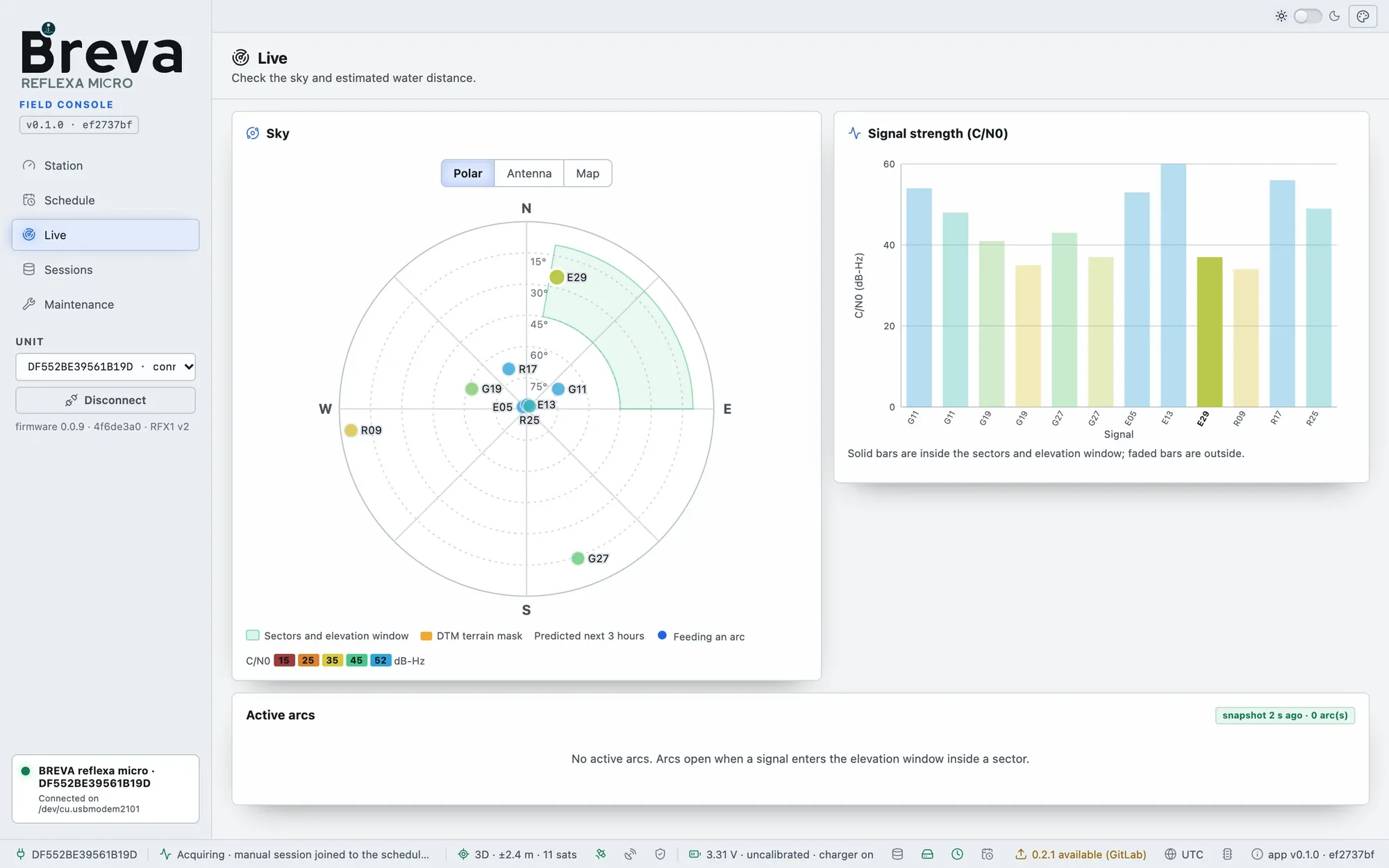
Live while a scheduled session runs (simulated unit, Normal mode); Advanced mode shows the same page.
Open Live after saving the settings. If the receiver is off, press Start live (cold start: about a minute to the first fix). While the page is open the receiver stays on, even past the end of a scheduled session; leaving the page releases it.
- Sky: the green wedges are your sectors inside the elevation window. Satellites rising or setting through them are the useful ones: an arc needs a sweep of elevation, not just a passage (useful passes); a dot with a white ring feeds an active arc. Colours show C/N0 (blue/green strong, red weak). Dashed lines are predicted tracks for the next hours.
- Signal strength (C/N0): open sky is typically 35–50 dB-Hz; uniformly low values point to the antenna, cable or mounting.
- Active arcs: signals rising or setting through the window and how much of the window they have swept.
- Closed arcs: each finished arc with its water distance (RH), sigma, peak-to-noise and pass/fail with the reason.
- Inspect a signal: click a satellite, a bar or an arc: the inspector shows C/N0 over time and against sin(elevation), the detrended oscillation, a provisional periodogram refreshed every 5 s, and the wavelet scalogram. When an edge block was trimmed, it shows the retained and rejected ranges and the reason. The unit’s closed arc is authoritative.
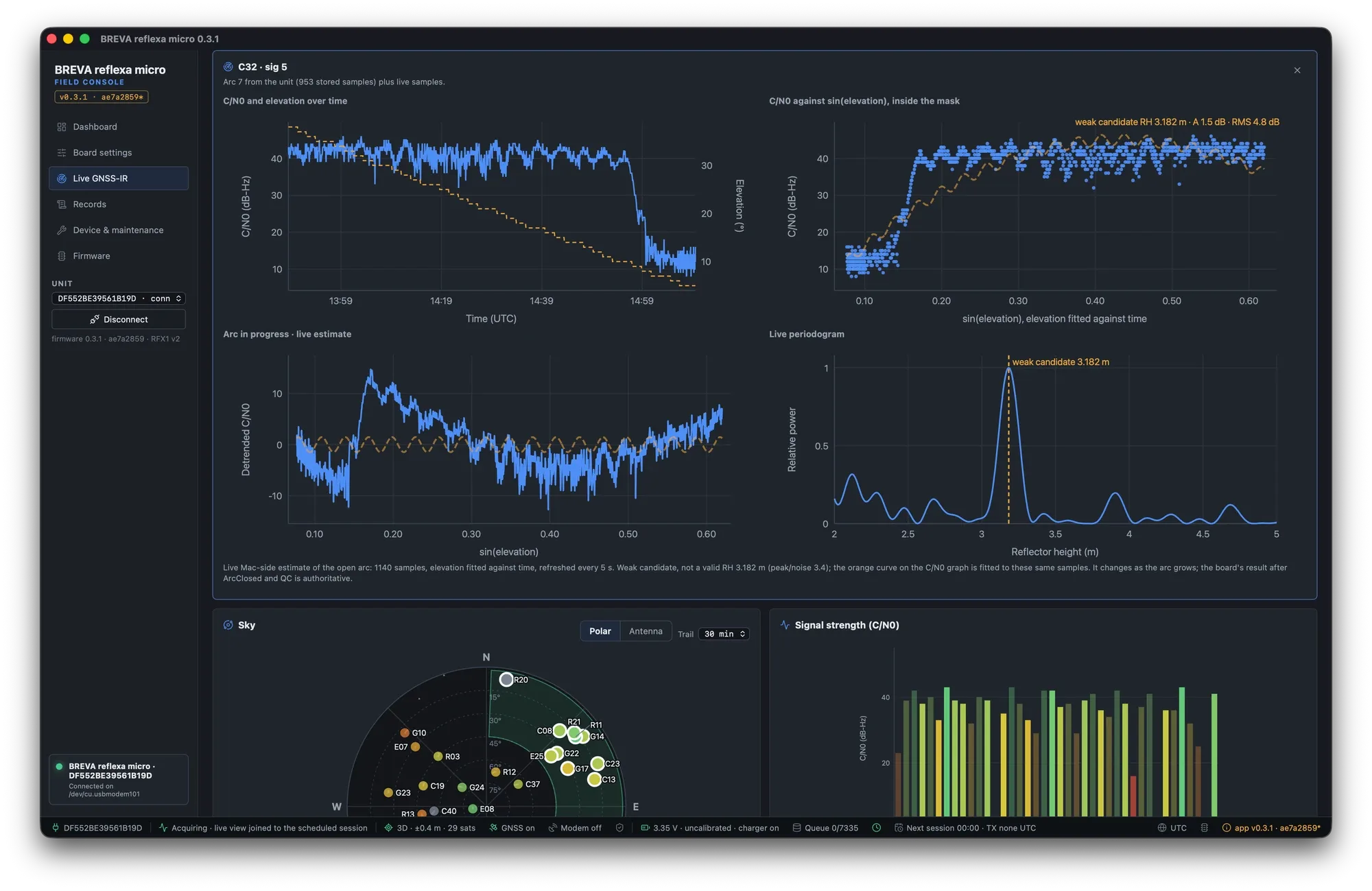
Arc inspector: C/N0 over time and against sin(elevation), the detrended oscillation and its periodogram with one clear peak.
How to judge an installation from this page: Verify live on site.