

Station
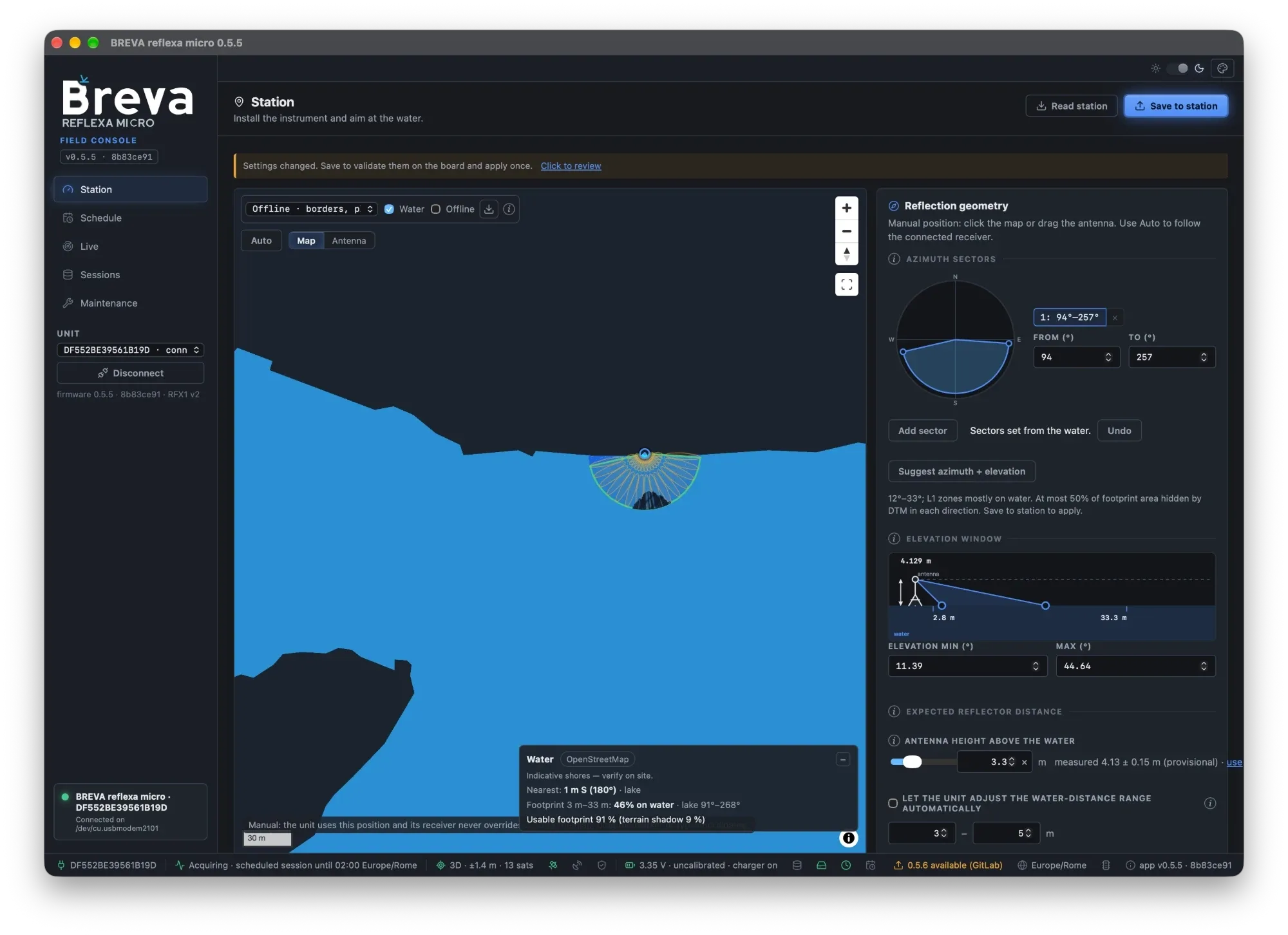
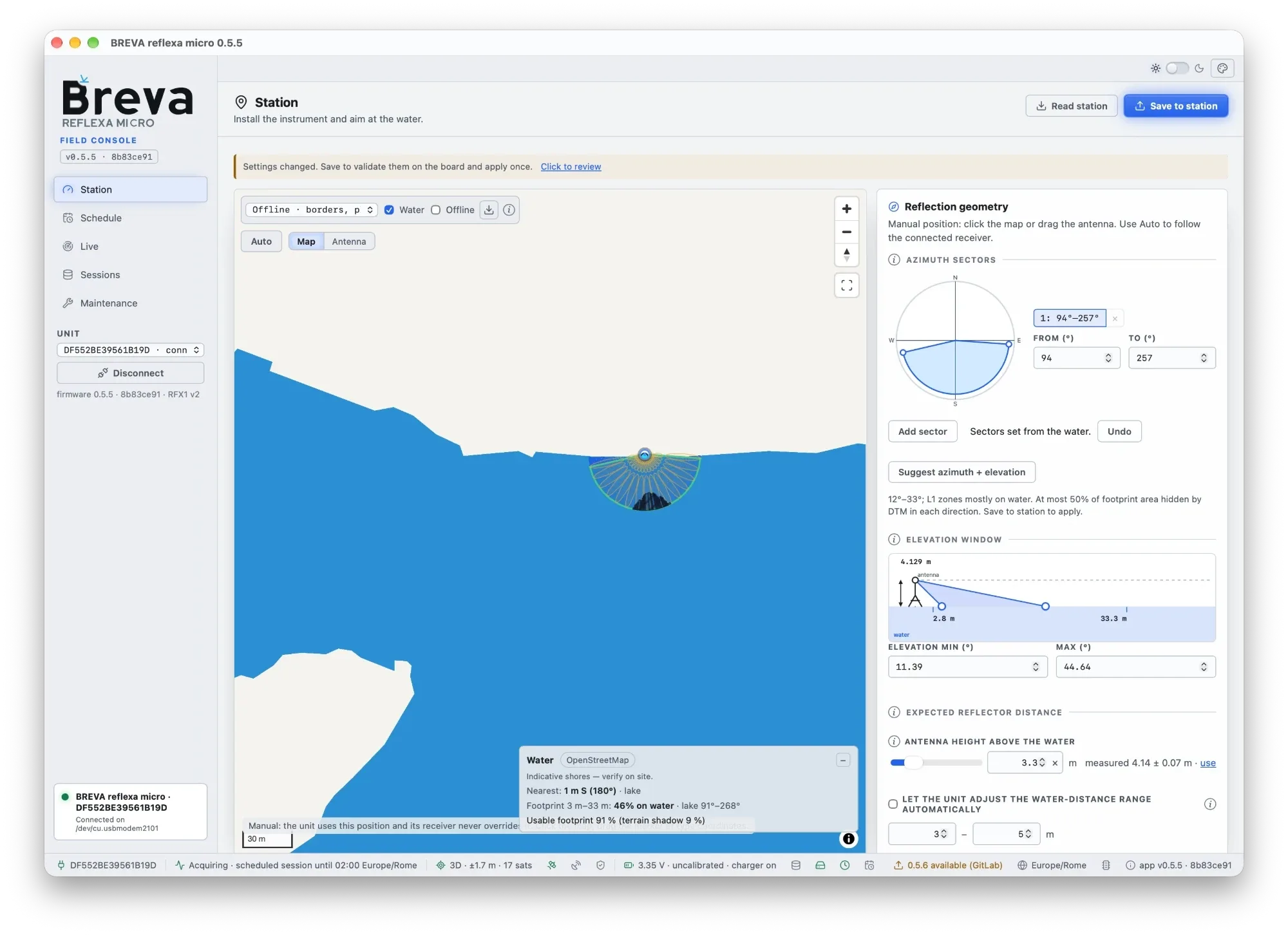
Station page at a test site: OpenStreetMap water, sector set from the water, 12°–33° Fresnel zones mostly on water, terrain shadow 9%, measured antenna height 4.13 ± 0.15 m. The screenshot follows the page theme.
The Station page is where an installation starts.
-
Position. Keep Auto (from receiver): the unit takes its position from its own receiver; a position within tens of metres is enough. A unit moved to a new place corrects itself. Edit manually lets you type latitude/longitude/height (or X/Y/Z) or click the map.
-
Point at the water. Drag across the compass toward the water to draw an azimuth sector (up to eight). The map shows the ground footprint (green) and the first Fresnel zones; water from the map data pack or OpenStreetMap is highlighted, and the panel says whether the footprint falls on water. Suggest azimuth + elevation proposes sectors from the mapped water.
-
Elevation window. Use about 5° to 45° (the low-cost antenna keeps the reflection visible higher than a geodetic one). The terrain profile and the black shadow on the map come from a terrain elevation model: they show where hills hide the water, not buildings or trees, and the first 100 m around the antenna are not judged. Treat them as indicative and check the reflection zones on site (obstructions).
-
Antenna height above the water. Type your measurement or an estimate by eye (within a factor of two is enough), or leave it empty (clear it with ×) when you have no idea. Keep the water-distance search range on Auto. After three accepted arcs the page shows the measured height next to your estimate; Use the measured height writes it after confirmation.
-
Press Save to station: the app shows the differences, the unit validates them, the app writes once and reads back to verify.
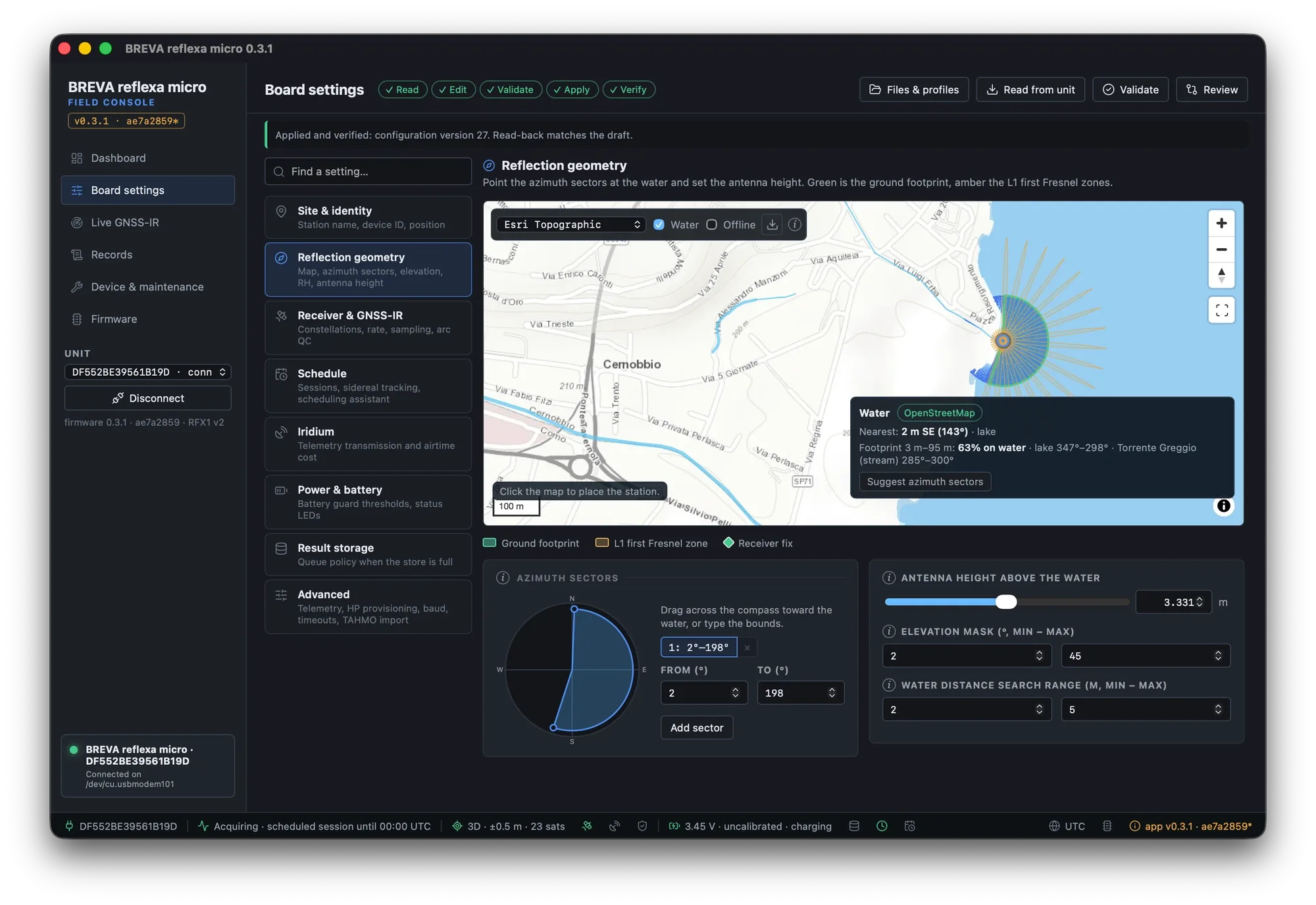
A lake-side test site: sector toward the lake, footprint and Fresnel zones, water detected on the map.
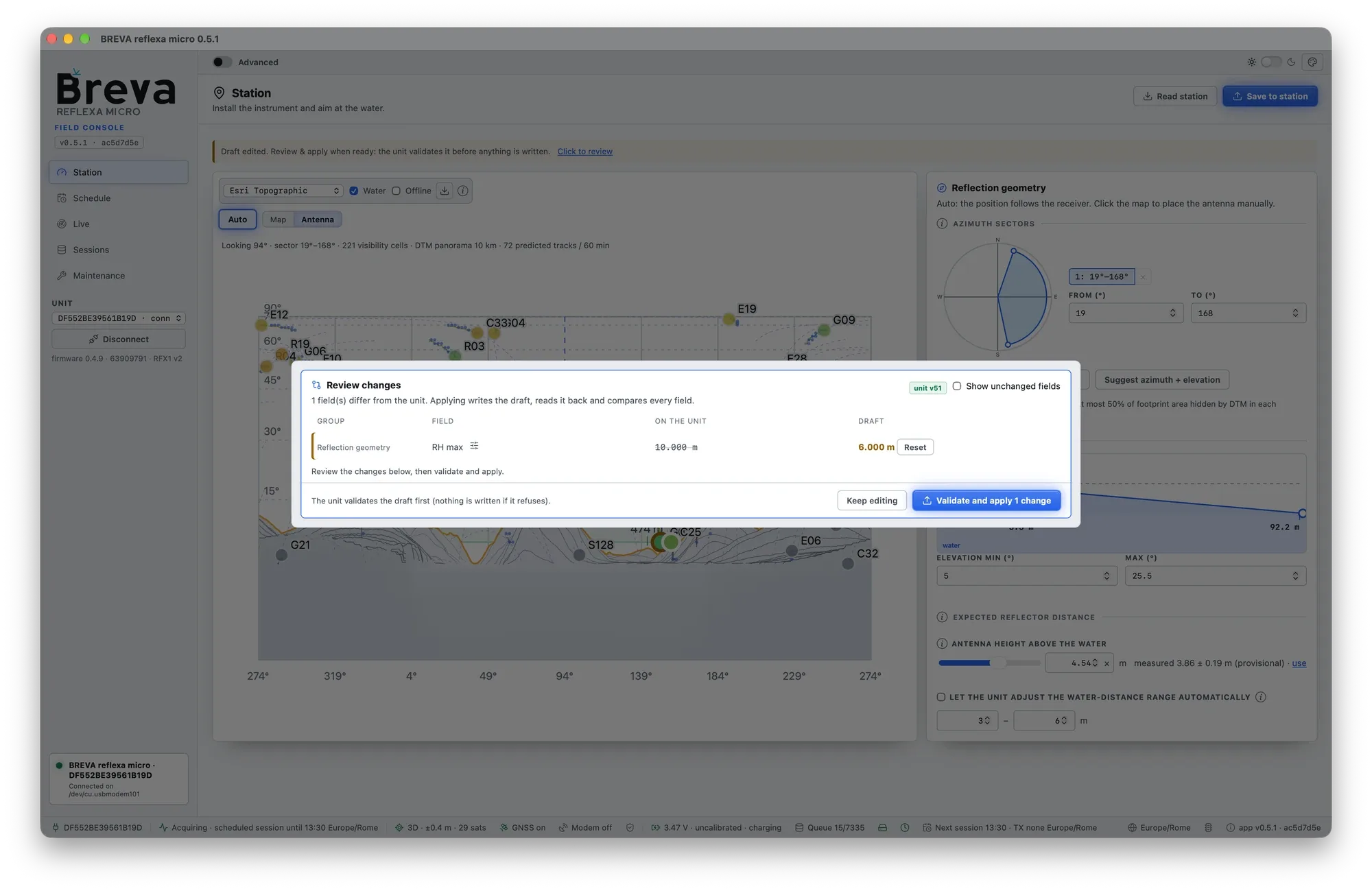
Saving: the review lists every change before the unit validates and the app writes (light theme).
The same controls, with more options, are in Advanced → Site & identity and Reflection geometry. Why the footprint matters: How GNSS reflectometry works.